Platform · Campaigns

The money is in the follow-up. So we automated the follow-up.

Leads that go cold in fifteen minutes. Estimates that sit unanswered. Invoices that drift past due. Happy customers who'd leave a review if anyone asked. Campaigns watch the calendar and send the right message at the right moment, by email and text, written like you, without you.

Ready on day one

Three campaigns every pressure washing company needs, pre-built

They ship with your account, wired to your real data. Flip each one on when you're ready, nothing sends until you do.

Reputation

Review Request

The day after a job closes, completed and paid, the customer gets a direct link to your Google review page, by email and text. Every customer gets the same link, and the message invites anyone who wasn't happy to reply to you directly, so you catch problems without filtering who gets asked.

TimingFires the day after closeout · 90-day per-customer cooldown so repeat customers are never over-asked
Sales

Estimate Follow-up

Most quotes don't get answered the day they're sent, people sit on them. This campaign nudges customers whose estimate went out with no reply, mentioning the exact work they asked about, with the approval link one tap away.

TimingReaches estimates 3-14 days old · one nudge per customer · email + text
Collections

Payment Reminder

Polite, automatic, persistent, then it stops. Every reminder carries the live invoice link with Pay Now online checkout, so each nudge is also a payment opportunity. Most slow payers resolve themselves without you typing a word.

TimingStarts 14 days past due · repeats every 14 days · maximum 3 reminders, then stops

Answer first

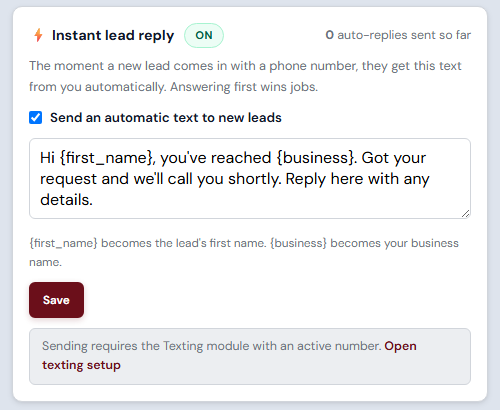
Every new lead gets a text back in seconds

Homeowners do not fill out one form. They fill out four, from the couch, at nine at night, and they hire whoever answers. Instant Lead Reply sends your text the moment the request lands, whether you are up a ladder, coiling hose, or asleep.

  • Covers every door a lead comes through: the quote form on your site, the website chatbot, and a customer who replies to one of your emails
  • Sounds like you, not a robot: the built-in message introduces you by first name and your business name, and you can rewrite it in your own words
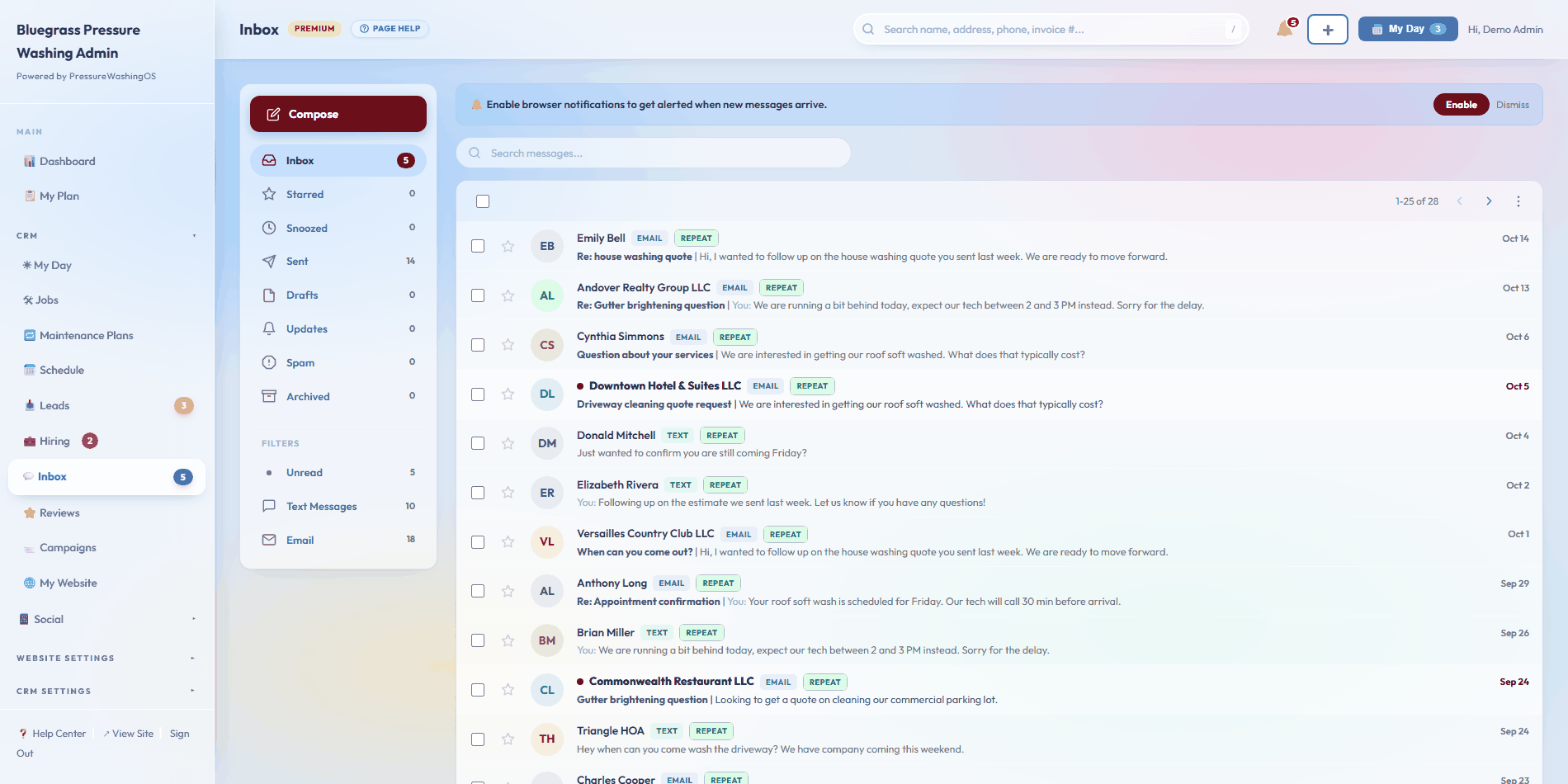
  • Starts a real conversation: their reply lands in your CRM inbox, in the same thread as everything else that customer has ever sent you
  • Fires once per lead, stays off until you switch it on, and respects the same opt-out list and text allowance as everything else
Why it hits harder in this trade: a house wash is a same-week decision. The homeowner is standing in the driveway staring at the green streaks right now. Fifteen minutes of silence is all the next guy needs.
Sent the second the form hits
Hi {first_name}, this is Mike with {business}. Got your request and I'll call you shortly. Reply here with any details.
▼ what the homeowner sees at 9:02pm
Hi Sarah, this is Mike with Streamline Exteriors. Got your request and I'll call you shortly. Reply here with any details.
What it needs: Instant Lead Reply is included in the Email Campaigns module at $19 a month, and it sends by text, so the Texting module has to be on with an active number before a single reply goes out.

Beyond the built-ins

Build your own in five minutes

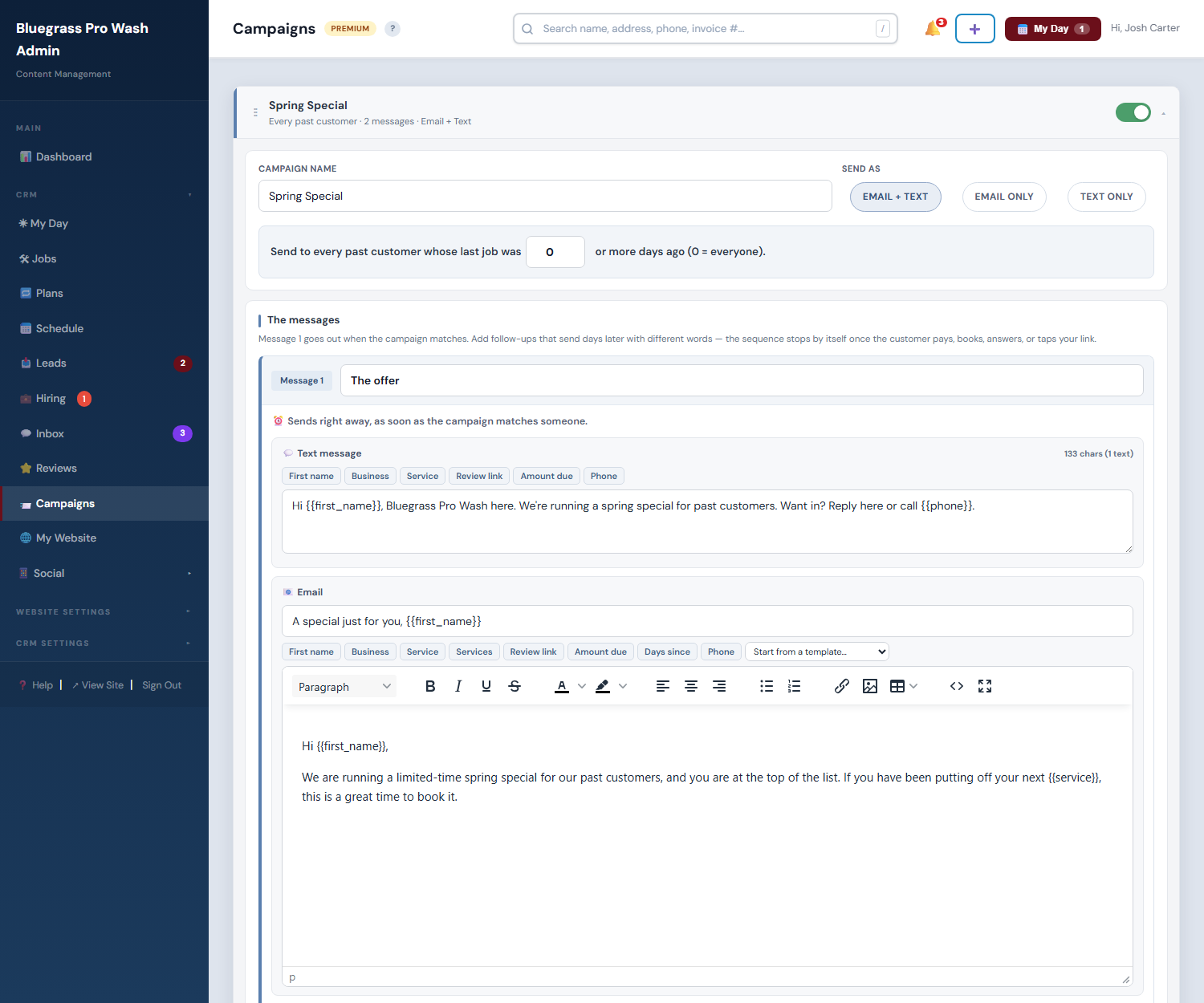
A campaign is a rule: when a customer matches, send this. Pick a trigger, set the timing, write the message once.

Haven't had service in X days Invoice overdue Flagged non-pay Estimate awaiting approval All past customers Upcoming scheduled job Recent closeout
  • Target precisely: all customers, residential only, or commercial only, and optionally narrow to people who had one specific past service
  • Time it: days after the trigger, an optional repeat interval, a hard max-sends-per-customer stop, and run-month pinning so a spring promo only runs in spring
  • Both channels or one: email, SMS, or both, texting rides the Texting module's monthly segment allowance
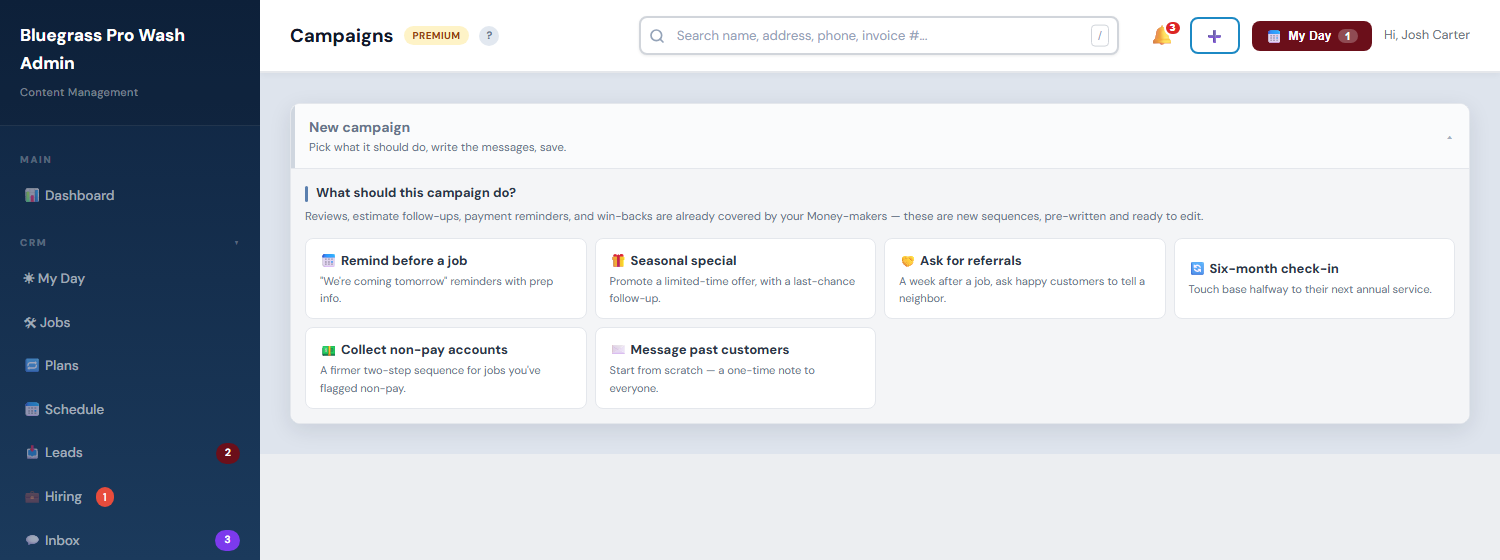
  • Start from a template: review requests, seasonal check-ins, estimate follow-ups, and payment reminders ship as starting points
The classic that pays for the whole module: "Haven't had service in 350 days" + a friendly we-miss-you message = last year's customers rebooking themselves every single week.
What you write once
Hi {{first_name}}, it's been about a year since your {{service}} with {{business_name}}. Want us to come make it look new again? Reply here or call {{phone}}.
▼ what each customer receives
Hi Sarah, it's been about a year since your House Washing with Streamline Exteriors. Want us to come make it look new again? Reply here or call (859) 555-0147.

Route density Neighborhood Offers module

Text the street the night before you are on it

You are already pulling 300 feet of hose down that block. Already ate the drive time, already found the water, already blocked the trailer in. A second house on the same street is close to free money. This goes and finds those houses while you are eating dinner.

Neighborhood offers card on the Campaigns page, switched on, set to within 1 mile and 5 texts per night, with a Save button and a note that sending requires the Texting module
Two dials and a switch. That is the entire setup screen.
  • Runs itself every evening against tomorrow's schedule. Nothing to press, nothing to remember on the drive home.
  • Past customers only. People who already know your work, already paid you once, and already have your number in their phone.
  • You set two dials: how close counts (half a mile, 1, 2 or 5 miles) and how many go out a night (3, 5 or 10). Small on purpose, so it never reads like a blast.
  • Capped and polite: a 60-day cooldown per customer, opt-outs skipped, and every send runs the same suppression checks as the rest of your messaging.
What they actually get: "Hi Sarah, this is Streamline Exteriors. We will be working in your neighborhood tomorrow and have room for a couple more stops. Want us to swing by while we are close? Just reply here and we will fit you in. Reply STOP to opt out."
What it needs: Neighborhood Offers is its own module at $20 a month, managed from this same Campaigns screen, and it sends by text, so the Texting module has to be on with an active number. Tomorrow's jobs also need an address the map can find, which the CRM handles the first time it sees one.

Repeat work Maintenance Plans module

The win-back you never had to send

A win-back campaign is you chasing last spring's customer. A maintenance plan is last spring's customer already sitting on the schedule. House wash every spring, gutters every fall, the restaurant's drive-thru pad every quarter. Set the interval once and stop thinking about it.

  • The CRM books it, not you: when a plan comes due the job is created and dropped on the schedule ahead of the date, using the lead time you gave it
  • Both of you hear about it: a notification for you, plus an optional heads-up text to the customer so nobody is surprised by a truck in the driveway
  • Any interval the work actually runs on: quarterly flatwork for a commercial account, an annual house wash, a roof soft wash every couple of years
  • Pause or delete a plan whenever the customer's situation changes, without touching their history or their past jobs
Pollen season stops being a scramble. Instead of March being a month of phone tag, March is a schedule that filled itself in February.
Plans page listing four maintenance plans with customer, service, how often it repeats, the next due date, a due soon badge, and an active status that texts the customer
Customer, service, how often it repeats, what is due next
What it needs: Maintenance Plans is its own module at $10 a month. Creating the job and notifying you work on their own. The optional customer heads-up is a text, so that part needs the Texting module with an active number.

Trust the engine

Built so you can't embarrass yourself

Automated messaging only works if you trust it completely. Three layers make sure you do.

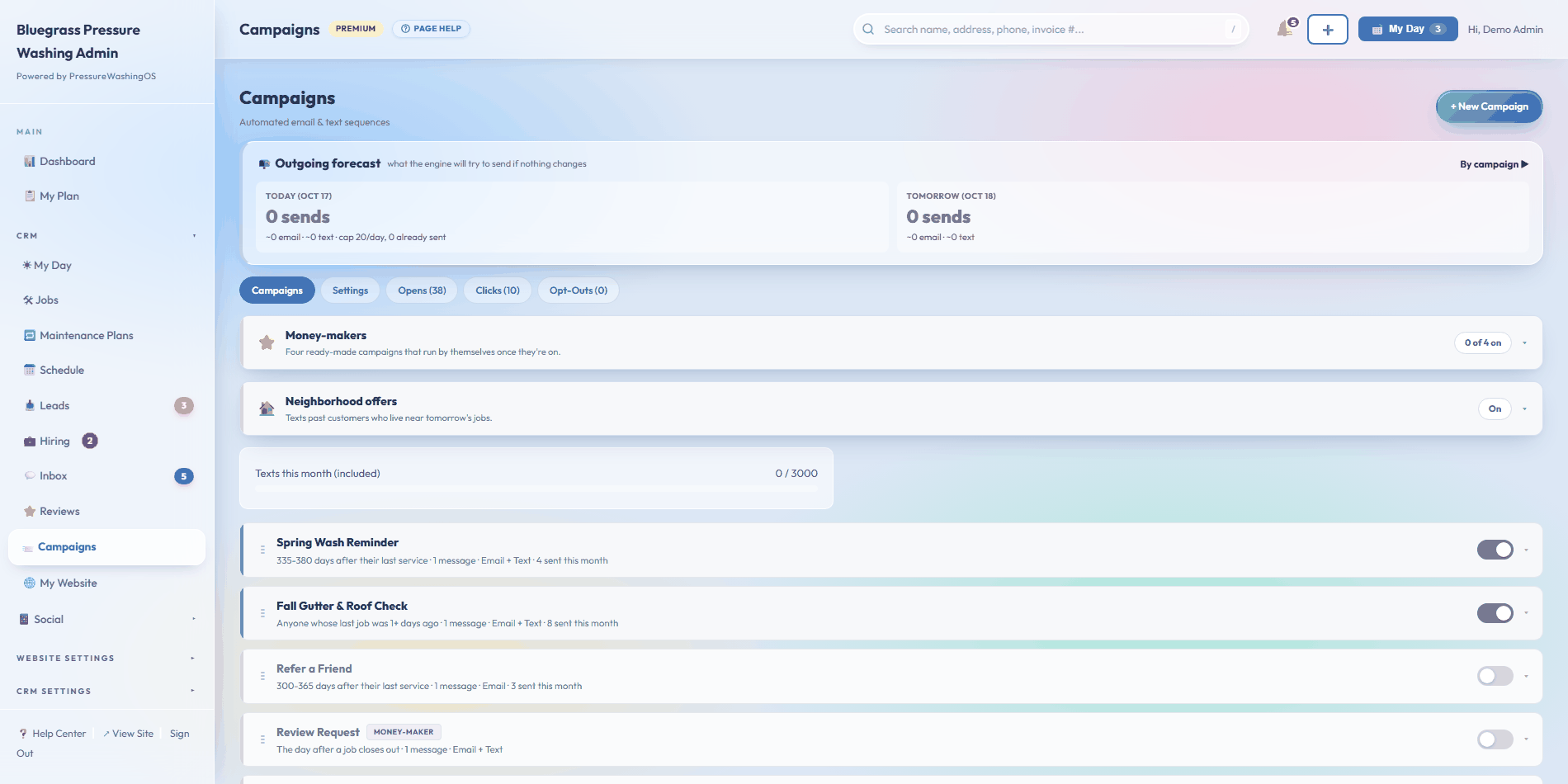
Campaigns page showing the outgoing forecast, active review request and reminder campaigns with sent, open and click stats
Live campaigns, forecast, sends, opens, clicks, per campaign
  • Preview Recipients dry-runs any campaign and shows exactly who would get it right now, who matched but got filtered out and why, and a fully rendered sample using real data
  • Send Test to Me delivers the message to your own phone and email first
  • The Outgoing Forecast shows what the engine will try to send today and tomorrow, by campaign, before anything goes out
  • Paced sending: the engine runs hourly from 8am-6pm Eastern, never at midnight, sending a slice of your daily cap each run so messages spread naturally across the day
  • Receipts for everything: per-campaign totals, a send log for every single message, and opens + clicks feeds across all campaigns

Compliance on autopilot

Opt-outs, caps, and carrier rules, handled

  • Every email gets an unsubscribe link automatically; every text carries reply-STOP wording
  • Opt-outs land on a do-not-send list that every campaign respects from then on, removable if a customer asks to come back, and you can exclude one customer from one campaign without losing them from the rest
  • Consent carries through: when a website lead checks the text-consent box, that consent follows them onto the customer record
  • Failure handling: after three failed sends to the same address, the engine stops retrying it and the log shows the error
  • Carrier registration built in: SMS campaigns require A2P 10DLC registration, ours is a guided wizard inside the app, not a support ticket
Daily cap, monthly allowance, dollar ceiling. The default 20-messages-a-day cap paces your sends. Your monthly email allowance and text-segment bucket (500 segments a month with the Texting module) set the ceiling, and text overage is metered at $0.04 a segment under a dollar cap you control, default $50, settable to $0.
This replaces the review-automation subscription. Tools like NiceJob and Podium charge real money to do one thing campaigns already do here, ask for the review after the job, except ours also knows when the job actually closed, because it closed in the same system.

Questions

About campaigns

When exactly does the review request go out? +
The day after a job is closed, meaning completed and paid. Each customer can only receive it once every 90 days, so repeat customers are never over-asked. Every customer gets the same direct Google link, and the message invites anyone who had a problem to reply to you directly.
Do I write the messages? +
Templates ship ready for review requests, estimate follow-ups, payment reminders, and seasonal check-ins. Edit any of them, or write your own with merge tokens, first name, service, amount due, review link, so every customer gets a personal copy.
What if a campaign matches someone it shouldn't? +
Run Preview Recipients first: it dry-runs the campaign and lists exactly who would receive it, who got filtered out and why, with a rendered sample. You can also exclude a specific customer from a specific campaign.
Does this count against my text allowance? +
Yes, campaign texts use the Texting module's monthly segment bucket like every outbound text. Keep campaign messages short and skip the emoji and the bucket goes far. Email campaigns draw on a separate monthly email allowance.
Can it stop chasing someone who paid? +
Automatically. Campaigns evaluate their rule at every run, the moment an invoice is paid or an estimate is approved, that customer no longer matches and the sequence stops on its own.

Keep exploring

Set the rules once. Collect forever.

Reviews asked, estimates chased, invoices reminded, starting the day you flip them on.

Start with PressureWashingOS